Claude Projects vs Artifacts for Writers: Which One Should You Actually Use?

I spent my first few weeks with Claude convinced I had to choose one. Projects or Artifacts. Context layer or document layer: workspace or draft.

That framing was wrong. Projects and Artifacts aren’t alternatives. They’re two different parts of the same workflow. Once that clicked, a lot of frustration went away.

The short version: Projects hold the reusable context and instructions Claude needs. Artifacts are where substantial pieces of work can be created and edited. If you’re writing regularly, using both makes more sense than choosing one.


Quick Answer

Claude ProjectsClaude Artifacts
Main purposeReusable workspace for instructions, reference material, and focused workStandalone content or documents Claude creates for you to work with
Best forOngoing, recurring workA specific piece you’re creating or revising
Reusable contextProject knowledge and instructionsNot a replacement for Project knowledge
Working documentNot primarilyYes
Best writing useVoice rules, style guides, reference material, past articlesDrafting, editing, revising, and working with substantial outputs

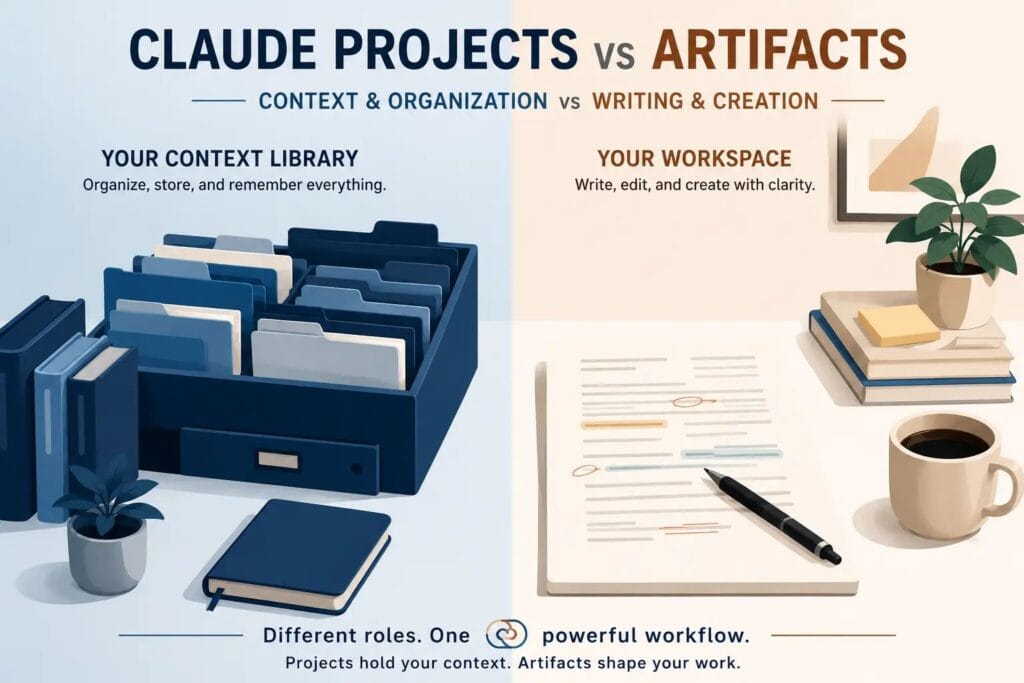
Projects and Artifacts solve different problems. Projects organize the environment. Artifacts give you a dedicated place to work on the output.

Projects are available on Claude’s Free plan, although Free users are limited to five Projects. Paid plans add enhanced Project knowledge through RAG. Artifacts are available on Free and paid plans.

If you’re writing regularly, you don’t really need to choose between them. You need to understand what belongs in each.

When I Use Projects vs Artifacts

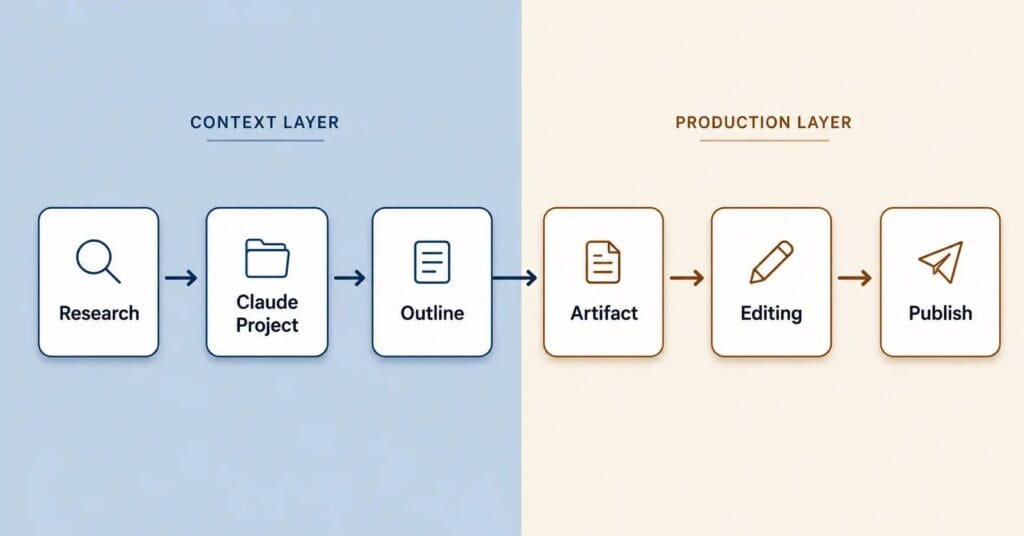
Here’s the sequence I run on every piece:

Research

Claude Project

Outline

Artifact

Editing

Publish

The two features solve different problems. Projects give Claude the context it needs before you start writing; Artifacts give you a place to actually build and revise the document. If you want to learn each feature separately, start with setting up Claude Projects for writers and then move to the Claude Artifacts writing workflow.

Into the Project

Those reusable references go into the Project knowledge base.

For my writing workflow, that means things like voice samples, style rules, past articles, and other material I want Claude to reference repeatedly.

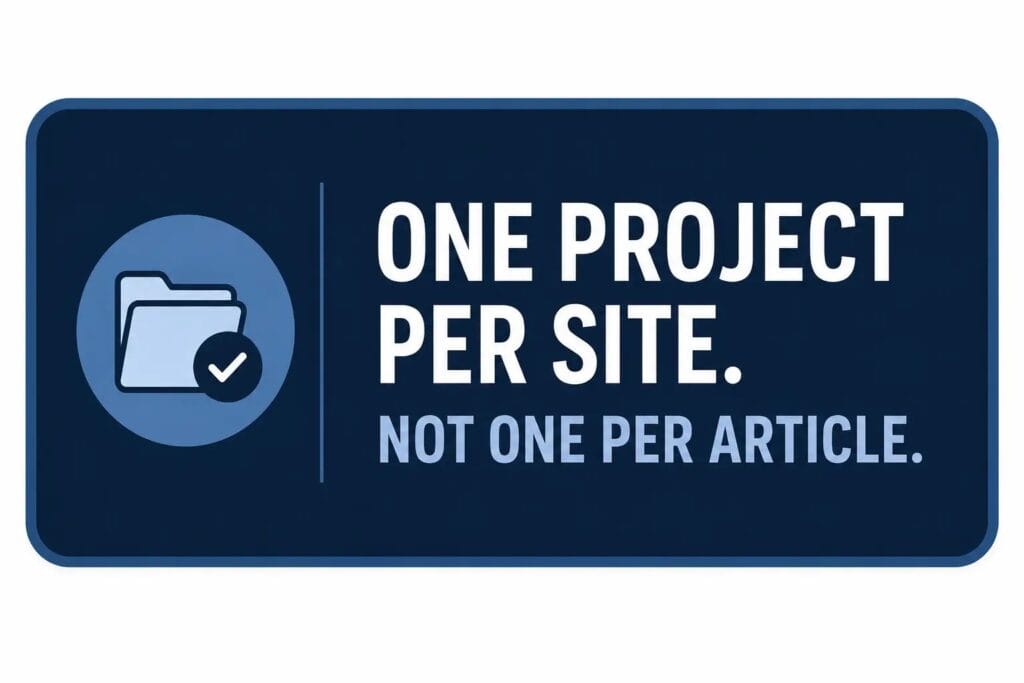
I prefer organizing recurring work around a site or broader writing workflow rather than creating an entirely new Project for every article.

Claude Projects have their own chats, instructions, and knowledge base. You can upload reference material to Project knowledge and add instructions that apply to conversations inside that Project.

One important distinction: being inside the same Project doesn’t mean every previous chat automatically becomes context for every new chat.

If I want information to be reusable across different chats, I put it into the Project knowledge or instructions rather than assuming Claude will remember an old conversation.

Outline before drafting

I review the structure inside the Project chat before a single line of the article is written.

A bad outline is a five-minute fix.

A bad draft costs an hour.

This is where the Project becomes useful. The research, writing rules, and reference material are already available, so I can focus the conversation on the actual article rather than rebuilding the writing environment every time.

Open the Artifact

Once the structure is right, I move into the actual working document.

This is where Artifacts become useful.

Claude describes Artifacts as substantial, standalone pieces of content that appear in a dedicated window separate from the main conversation. They can include documents and other outputs that you can modify, build upon, or reference later.

For writing, the distinction is simple:

The Project is the environment. The Artifact is the work product.

I don’t treat an Artifact as a replacement for my Project.

The Project provides the reusable context.

The Artifact gives me a dedicated place to work on the substantial output.

Edit, then publish

I edit in layers.

Structural edit first — section order, logic gaps, anything that doesn’t belong.

Voice edit second — anything that doesn’t sound like me.

Final fact check — verify claims and sources before it goes live.

That separation matters. I don’t want Claude simultaneously changing the structure, rewriting my voice, and adding new information in one giant revision.


The Biggest Mistake I Made

I was creating a new Claude Project for every article I wrote.

Within a month, I had dozens of them — each holding a fragment of context with no relationship to anything else. Voice notes scattered here, research scattered there, nothing connected.

The fix was to stop treating Projects as individual article folders and start treating them as reusable workspaces.

Now, when I start a new piece, the information I’ve deliberately put into the Project is already available to the chats inside it. I’m not rebuilding the same writing environment from scratch every session.

But there’s an important distinction here:

Project chats aren’t automatically one giant shared conversation.

If I want Claude to consistently use my voice guide, style rules, reference material, or other important information, I put that information into the Project knowledge or instructions.

I don’t rely on an old chat containing the information and assume Claude will automatically carry it into every future conversation.

The second mistake was editing everything inside chat

I’d ask Claude for a revision, get another version back, then manually compare it to the version above.

Slow. Error-prone. And increasingly difficult once the document became long.

Artifacts gave me a better working surface for substantial documents because Claude can place the output in a dedicated window rather than leaving the entire document buried inside the conversation.

Opening an Artifact solved it. Claude revises the document directly; the history is preserved, and I’m not scrolling through a wall of chat messages trying to find which paragraph changed.


Which One Should Writers Choose?

Writing TaskProjectsArtifacts
Blog posts
Books
One-off emails
Research library
SEO articles
Newsletters

For anything you write repeatedly — blogs, books, SEO articles, newsletters — using both makes the most sense.

For a single short piece you’ll never build on again, an Artifact can be enough. There’s no reason to create a complicated Project structure for one quick email.

For reference material you’ll reuse across multiple pieces, Project knowledge is the important layer.

And there’s an important update from the older version of this article:

You don’t need a paid Claude plan simply to use Projects or Artifacts.

Free users can create up to five Projects. Paid plans provide enhanced Project knowledge through RAG. Artifacts are available on Free as well as paid Claude plans.

So the question isn’t:

“Do I have to pay to use this workflow?”

It’s:

“How much reusable context and Claude usage does my workflow require?”

For how Projects and Artifacts fit inside a complete SEO workflow — keyword research through publish — I covered the full sequence in Claude for SEO Writing: My Complete Workflow for Creating Search-Optimized Content.


Do You Need Claude Projects and Artifacts Together?

Short answer: no. But regular writers will often benefit from using both.

Think about a simple example.

You’re writing ten articles for the same website.

Your Project can contain:

  • Writing instructions
  • Brand voice rules
  • Style guidelines
  • Reference material
  • Previous examples
  • Reusable research

Then each article becomes its own working output.

That’s where Artifacts become useful.

The Project doesn’t replace the document.

The Artifact doesn’t replace the reusable context.

They’re different layers.

Project = reusable environment

Artifact = individual working output

That’s the mental model that makes the two features much easier to understand.

Are Claude Projects Free?

Yes. Free users can create up to five Claude Projects.

Projects give you a dedicated workspace with its own chats, knowledge, and instructions. Paid plans add enhanced Project knowledge through RAG, which becomes more useful as you’re working with larger bodies of reference material.

So if you’re just experimenting with Claude, Free is enough to start testing Projects.

If you’re building a larger, repeatable writing system with substantial reference material, the enhanced paid Project capabilities become more relevant.

Are Claude Artifacts Free?

Yes. Artifacts are available on Free as well as paid Claude plans.

That means you don’t need Pro simply because you want to create or work with an Artifact. Anthropic lists Artifacts as available across Free, Pro, Max, Team, and Enterprise.

For writers, the more useful question is whether Artifacts fit the way you work.

They’re particularly useful when your output is substantial enough that you want to treat it as a document or standalone piece of work rather than another block of chat text.

What Should Go Into a Claude Project?

Short answer: anything you expect Claude to reuse across multiple pieces of work.

For a writing Project, that might include:

  • Brand voice guidelines
  • Writing style rules
  • Author bio
  • Published articles
  • Good writing samples
  • Editorial standards
  • Content guidelines
  • Reusable research
  • Audience information
  • Formatting rules

Don’t dump everything you’ve ever created into the Project.

The goal isn’t to give Claude the largest possible pile of information.

The goal is to give it the right reusable information.

That’s especially important when you’re using Claude for a content operation rather than a single article.

What Should Become an Artifact?

Short answer: the substantial output you’re actively creating or editing.

For writers, that could be:

  • A long-form article
  • An outline
  • A content brief
  • A report
  • A manuscript
  • A newsletter
  • A reusable document
  • A structured piece of content

The key difference is purpose.

If something needs to influence future pieces, it belongs in your Project knowledge.

If something is the piece you’re currently building, an Artifact may be the better workspace.

The Takeaway

Projects organize my work.

Artifacts improve the way I work with substantial outputs.

Once I understood that distinction, I stopped trying to choose between them.

The Project holds the reusable instructions, reference material, and context I want Claude to use across my writing workflow.

The Artifact gives me a dedicated place for substantial content that I’m creating, editing, or revising.

Most writers don’t need to choose one. They need to understand what belongs in each.

The workflow is simple:

Project → reusable context

Artifact → working output

That’s a much better mental model than treating Projects and Artifacts as competing Claude features.

The full system is in Claude for Writers: The 2026 Operational Guide to Better Writing, Long-Form Projects, and Professional Workflows.

Leave a Comment