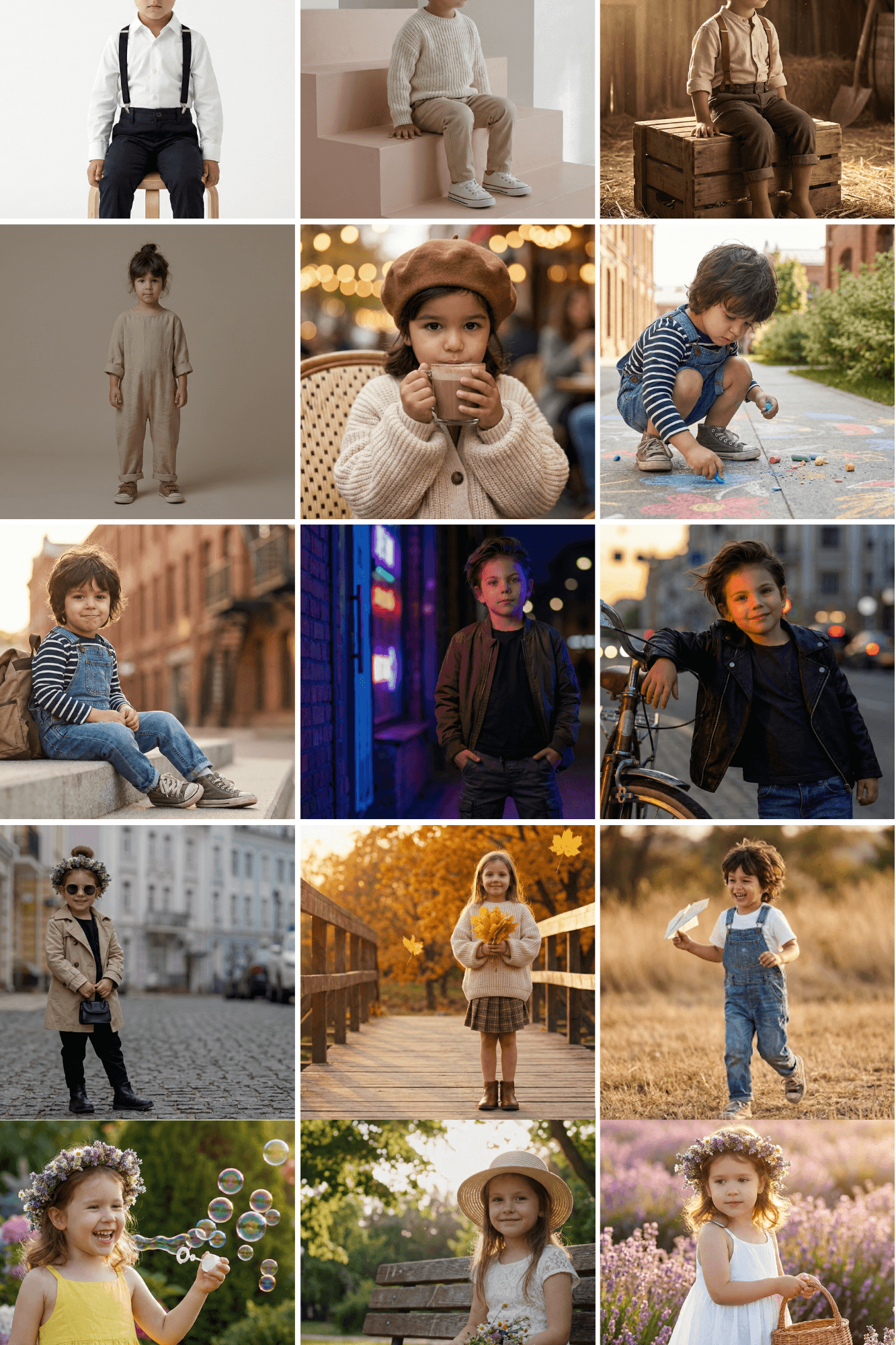
I have a confession.
I have over 15,000 photos of my kids on my phone. And you know what? About 14,900 of them are terrible.
They’re blurry. The lighting is bad. There’s a pile of laundry in the background.
For a long time, I thought the only solution was hiring a professional photographer. But let’s be real who has the time or budget to do that every month?
Then I found Nano Banana.
If you haven’t heard of it yet, “Nano Banana” is the viral codename for Google’s Gemini 2.5 Flash Image model. It’s not just another AI filter. It’s a reconstruction engine.
Here is the thing: Most AI tools generate random children that vaguely resemble yours. Nano Banana is different because of Identity Retention. It keeps your kid looking like your kid.
I tested this with my own family photos, and the results were crazy.
In this post, I’m going to show you the exact workflow I use and give you 15 copy-paste prompts that actually work.
The Workflow (Do This First):
Most people get bad results because they skip the setup. They just type “cute kid in a park” and get a stranger’s child.
We aren’t going to do that.
Here is the 3-step process I use to get consistent results:
- Open Gemini: Go to the Google app or gemini.google.com.
- Upload the Anchor: Click the image icon and upload a clear, front-facing photo of your child. (Pro tip: Use a close-up where their face is well-lit).
- The “Identity Lock” Command: This is the secret sauce. You must add this phrase to the end of every prompt below:
“Keep facial features, skin tone, and hair texture exactly as the uploaded reference photo.”
If you don’t add that, the AI will hallucinate. Trust me, I learned this the hard way.
15 Nano Banana Prompts (Copy & Paste):
I’ve categorized these so you can find exactly what you need. Just remember to replace [AGE] with your child’s actual age (e.g., “5-year-old”).
Category A: The “Golden Hour” Collection:
Best for: Framing, holiday cards, and fixing messy backgrounds.
1. The Paper Airplane:
“Create a photo of a [AGE] boy playing with a paper airplane in an open field, wearing denim overalls, white t-shirt, and sneakers. Messy hair glowing in sunlight, candid motion shot as he laughs and runs. Warm natural tones, shallow depth of field background. Keep facial features exactly as uploaded.”

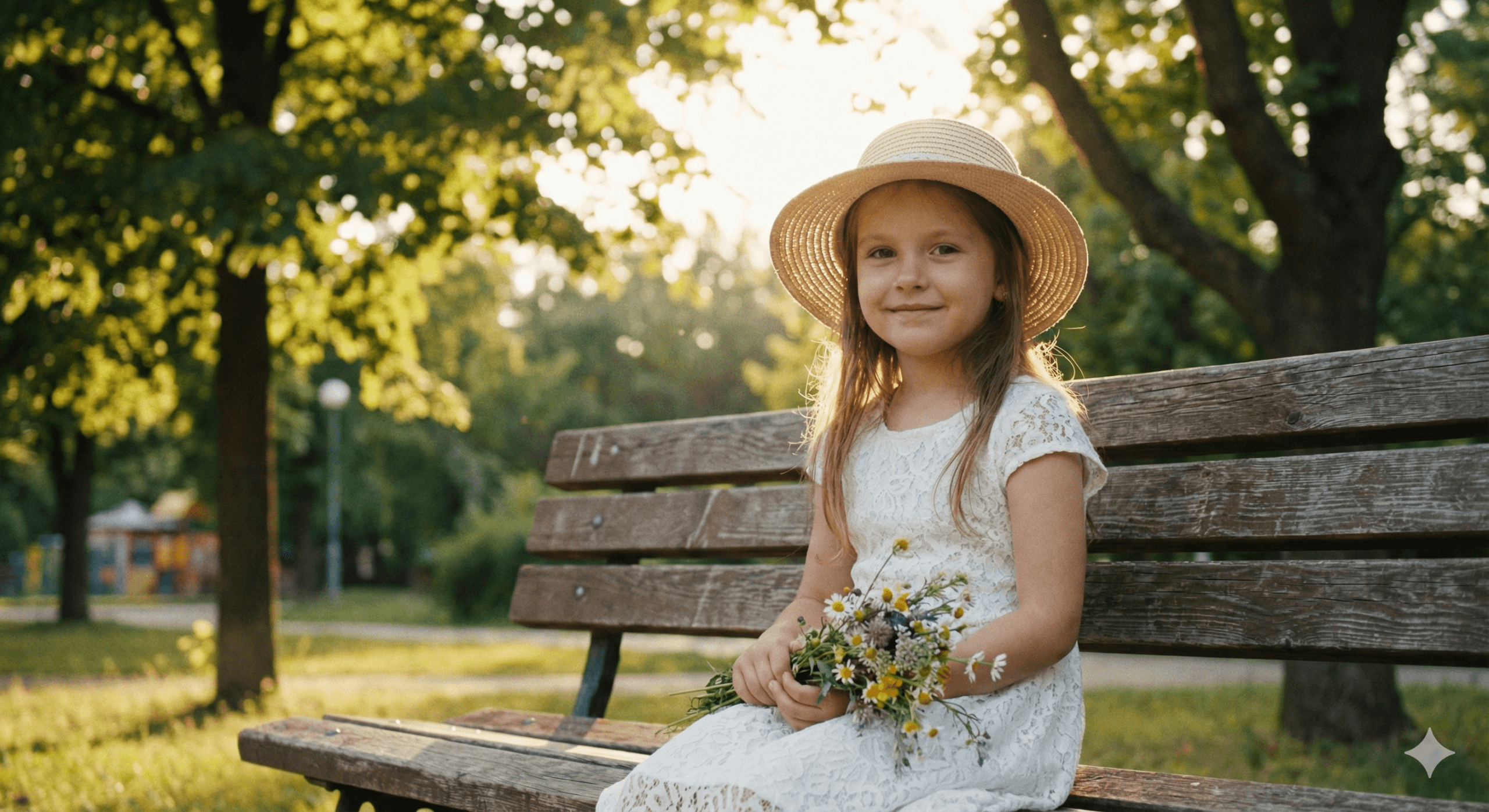
2. Golden Hour Park:
“Create a photo of a [AGE] girl sitting on a wooden bench in a park during golden hour, wearing a white lace dress and a straw hat. Holding a bunch of wildflowers, soft sunlight filtering through trees, gentle smile, blurred green background, cinematic portrait style. Keep facial features exactly as uploaded.”
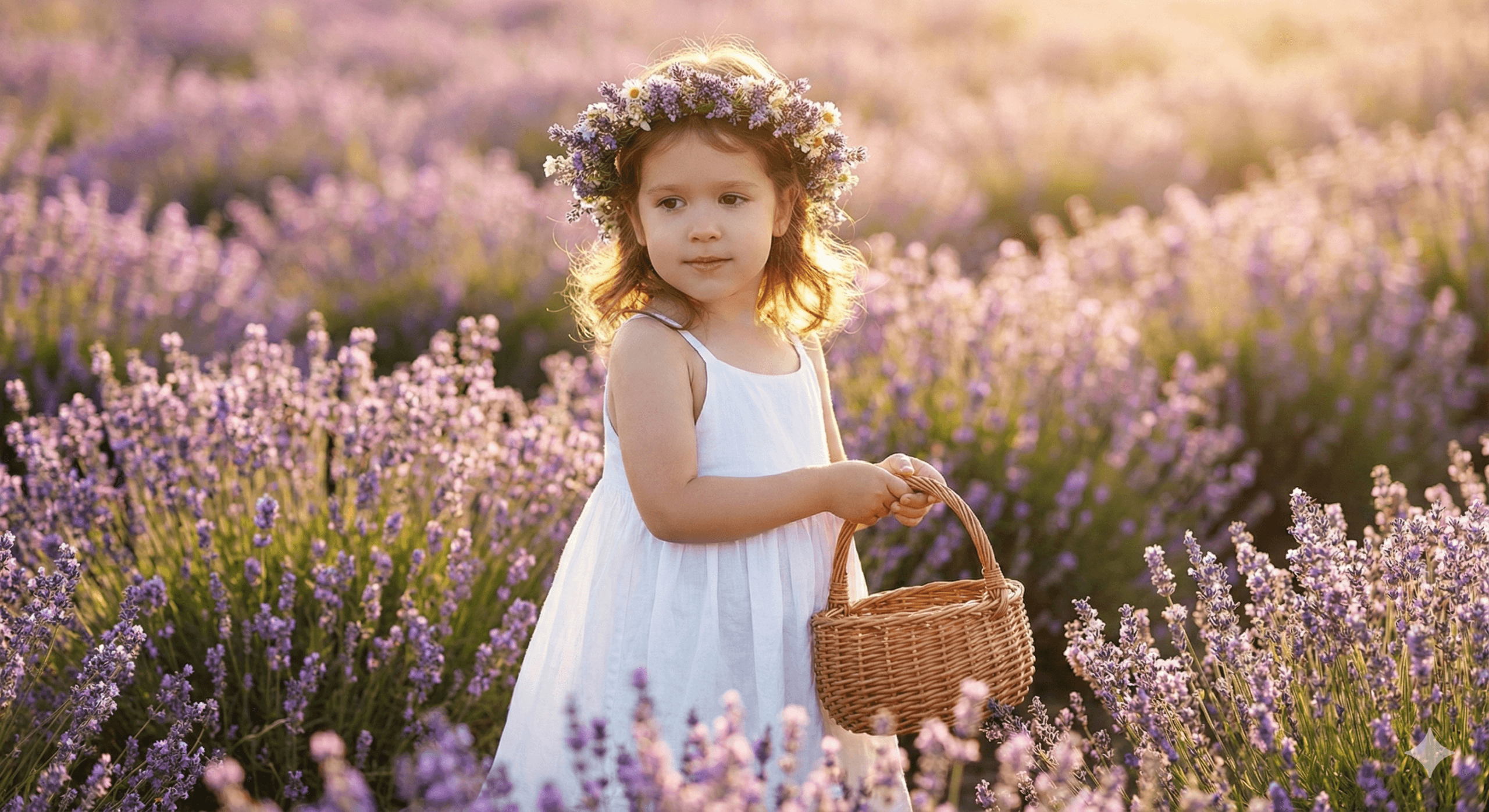
3. Lavender Field Dream:
“A [AGE] girl standing in a field of lavender, wearing a white flowy dress and a flower crown, gently holding a small wicker basket. Sunlight illuminating the lavender blooms, dreamy bokeh background, calm and peaceful atmosphere. Keep facial features exactly as uploaded.”
4. Wooden Bridge Autumn:
“A [AGE] girl standing on a wooden bridge during autumn, wearing a cozy oversized sweater, pleated skirt, and ankle boots. Holding a bunch of yellow leaves, golden sunset background, dreamy seasonal aesthetic. Keep facial features exactly as uploaded.”

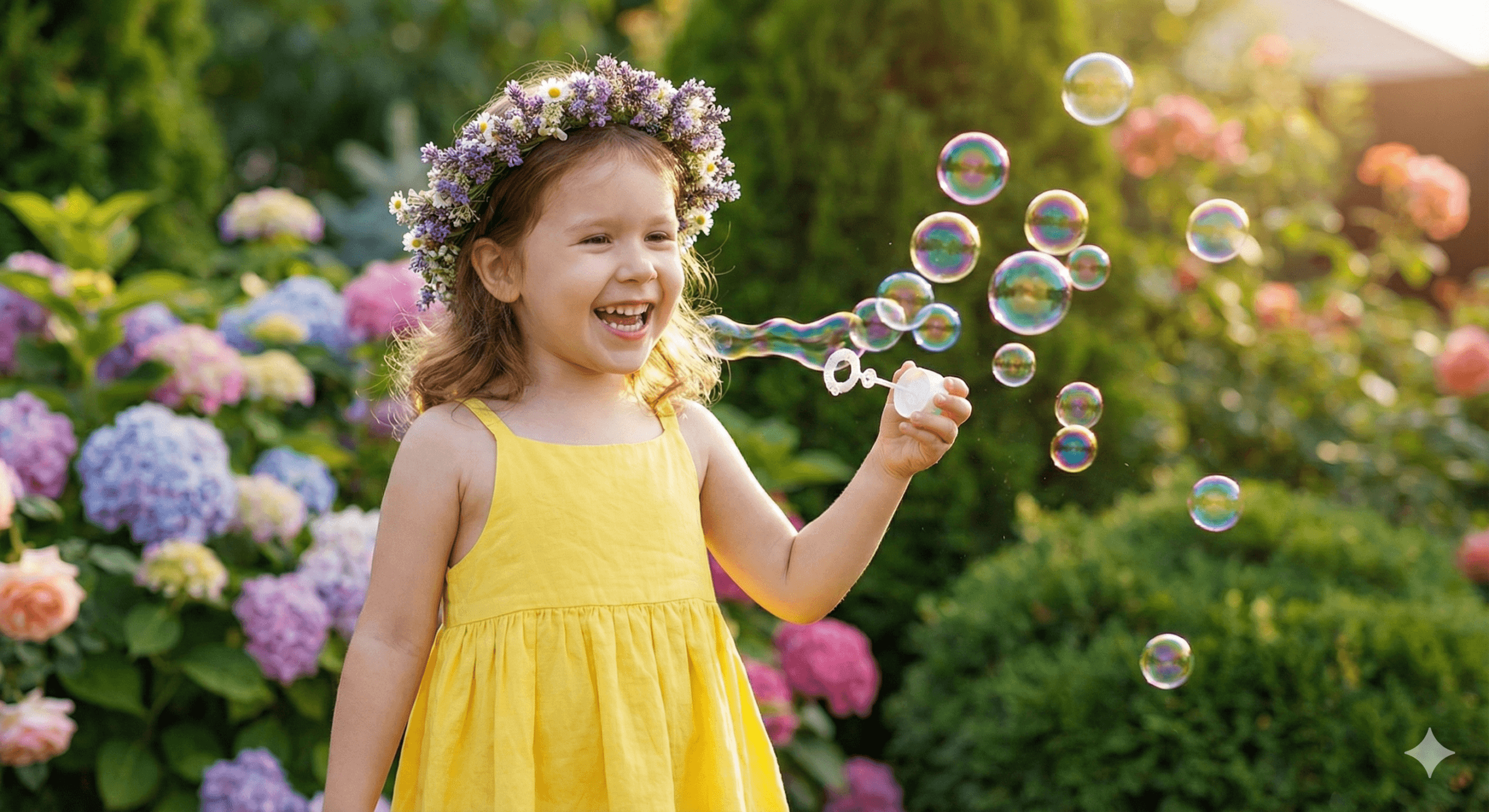
5. Soap Bubbles Candid:
“A [AGE] girl blowing soap bubbles in a backyard garden, wearing a yellow summer dress. Sunlight catching the bubbles midair, colorful flowers and greenery in background, joyful candid moment with bright smile. Keep facial features exactly as uploaded.”
Category B: The “City & Style” Collection:
Best for: Instagram, cool social posts, and modern vibes.
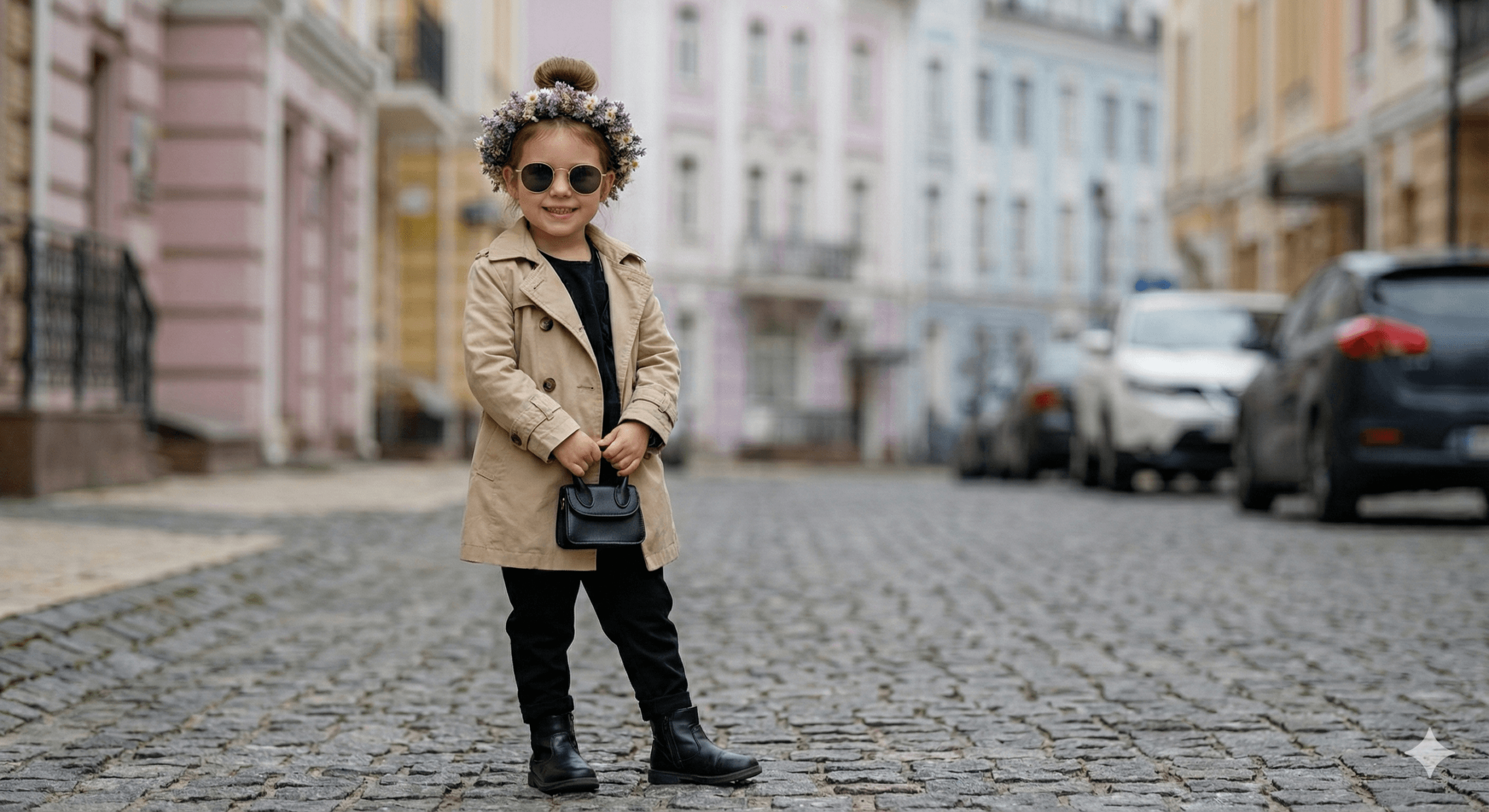
6. City Street Fashion:
“A stylish [AGE] girl posing confidently on a cobblestone street, wearing a beige trench coat, black boots, and round sunglasses. Hair in a neat bun, holding a tiny purse. Soft pastel city background with blurred cars, moody daylight tones. Keep facial features exactly as uploaded.”
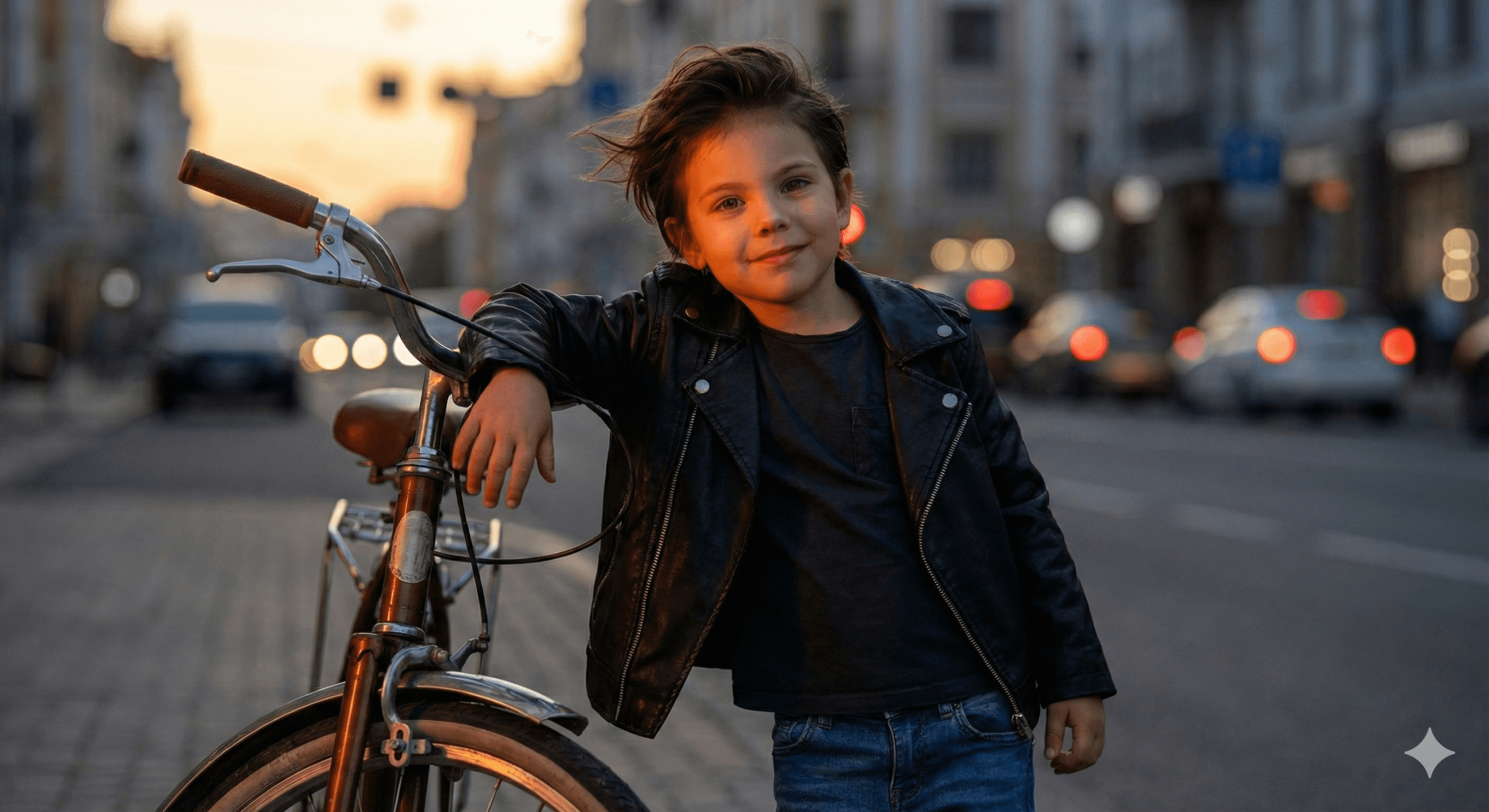
7. Sunset Biker:
“A [AGE] boy wearing a leather jacket and jeans, leaning on a retro bicycle at sunset. Orange light hitting his face, wind blowing through hair, cinematic tone, blurred background with city vibes. Confident street-style portrait. Keep facial features exactly as uploaded.
“
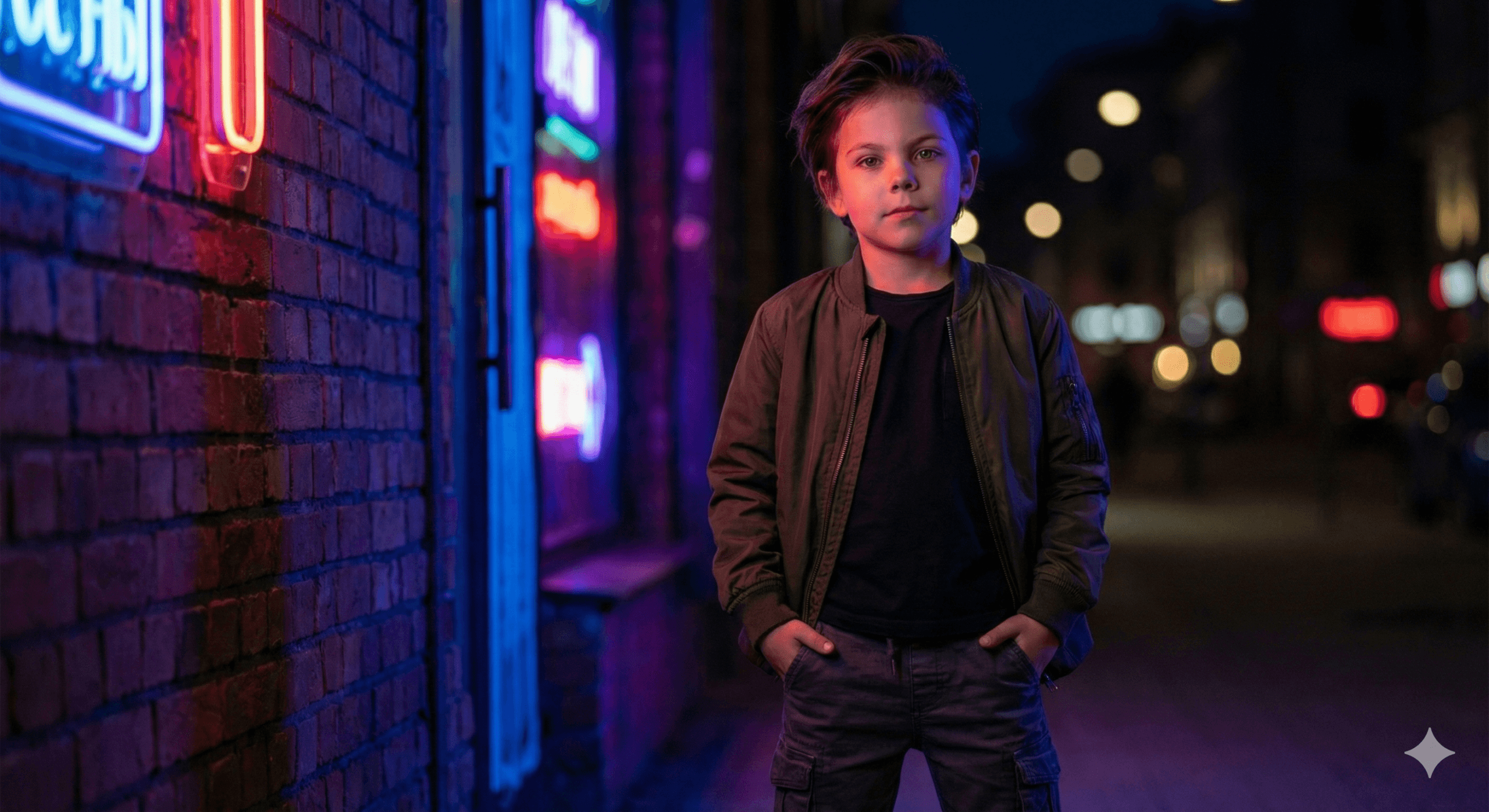
8. Neon Night (Cyberpunk):
“A cool [AGE] boy standing beside a neon-lit wall at night, wearing a bomber jacket and cargo pants. Glowing reflections on his face, hands in pockets, cinematic nighttime fashion photo. Keep facial features exactly as uploaded.”
9. Urban Step Portrait:
“A stylish small boy sitting on a concrete step with a backpack beside him, wearing a striped long-sleeve shirt, denim overalls, and sneakers. Slight smirk, blurred cityscape behind, warm filter tones, influencer-style lifestyle look. Keep facial features exactly as uploaded.”

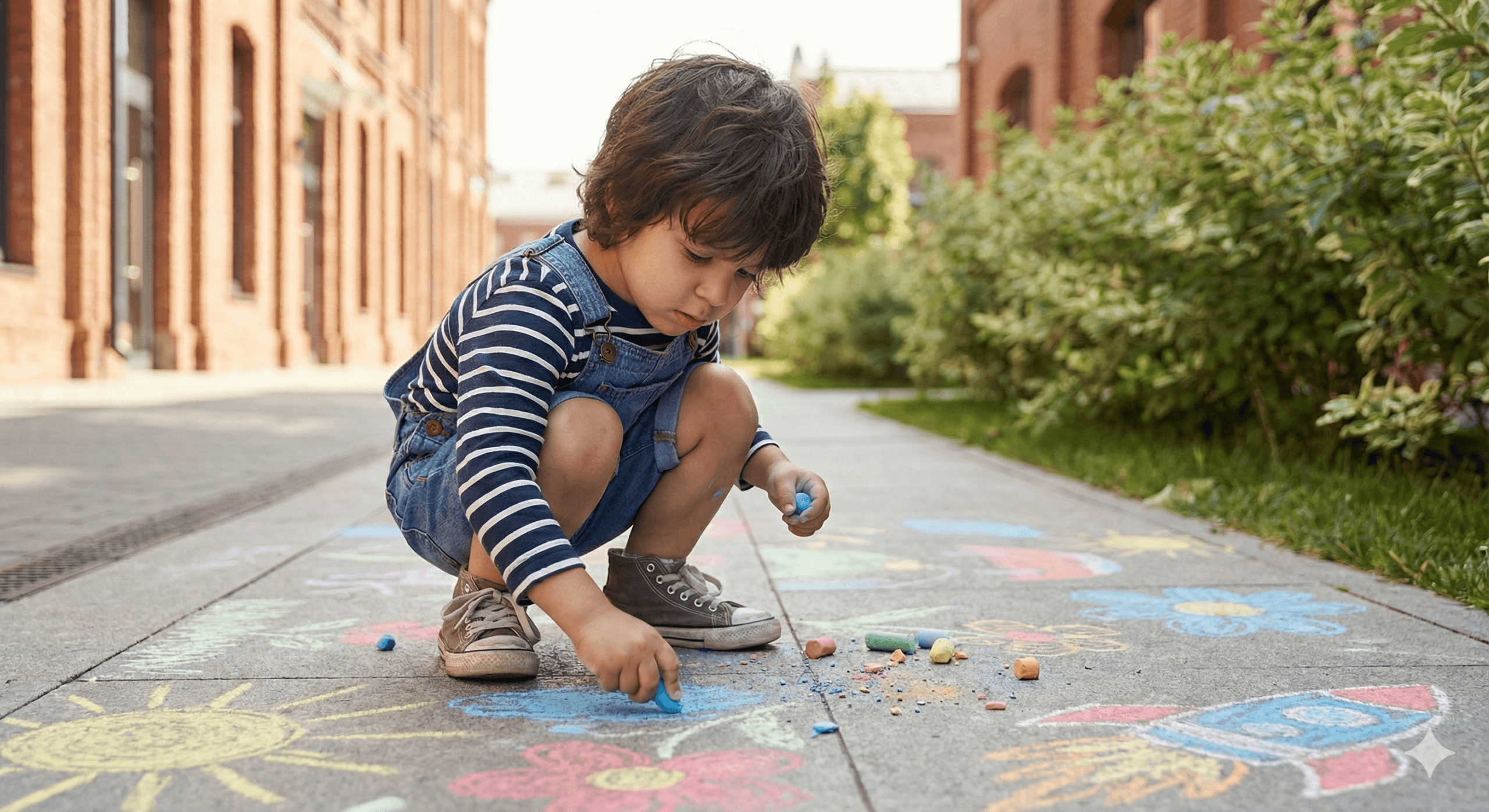
10. Sidewalk Chalk Artist:
“A [AGE] boy drawing on the sidewalk with colorful chalk, crouched down in concentration, wearing a striped t-shirt and shorts. Scattered chalk pieces around him, vibrant street colors, candid artistic expression in daylight. Keep facial features exactly as uploaded.”
Category C: The “Studio & Editorial” Collection:
Best for: A clean, high-end look without paying for a studio session.
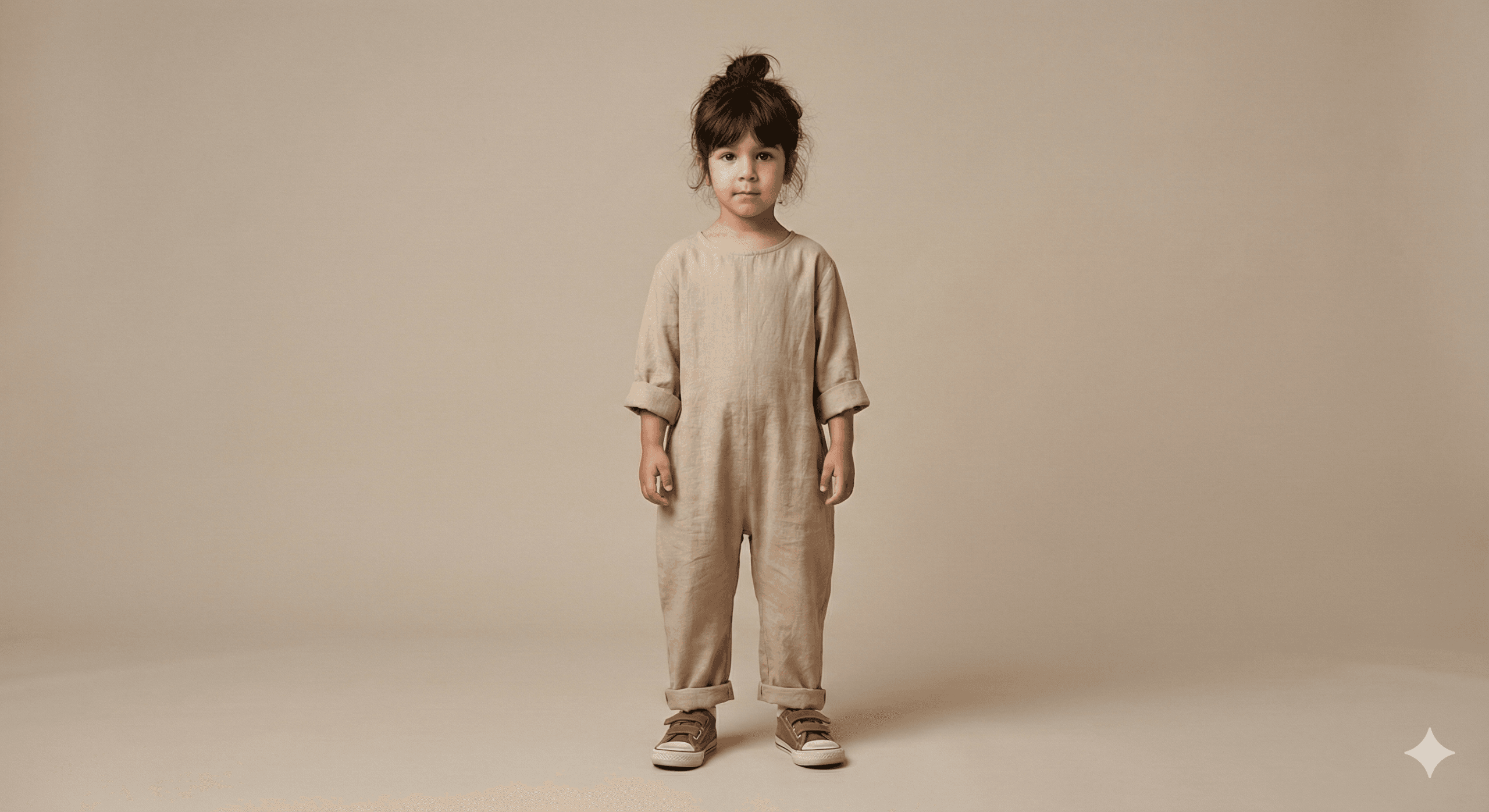
11. Minimalist Studio:
“A [AGE] girl posing in a minimalist studio with neutral backdrop, wearing a beige linen jumpsuit, white sneakers, messy bun. Soft diffused light, editorial kid fashion portrait with muted tones and clean composition. Keep facial features exactly as uploaded.”
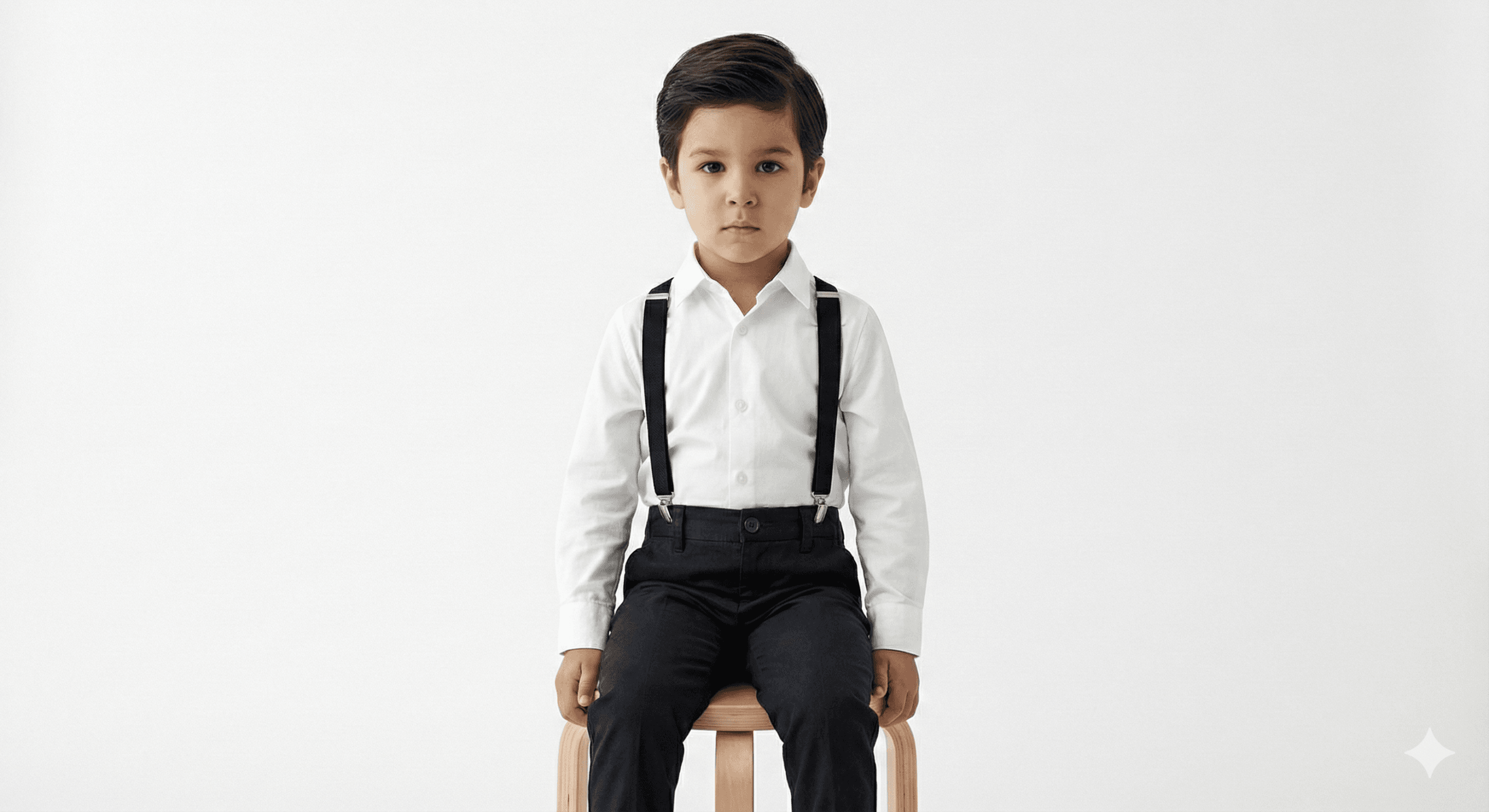
12. Magazine Editorial:
“A [AGE] boy posing in a minimalist white studio, wearing black suspenders over a white shirt, polished hair, serious expression. Sitting on a simple wooden stool, clean lighting, magazine editorial style portrait. Keep facial features exactly as uploaded.”
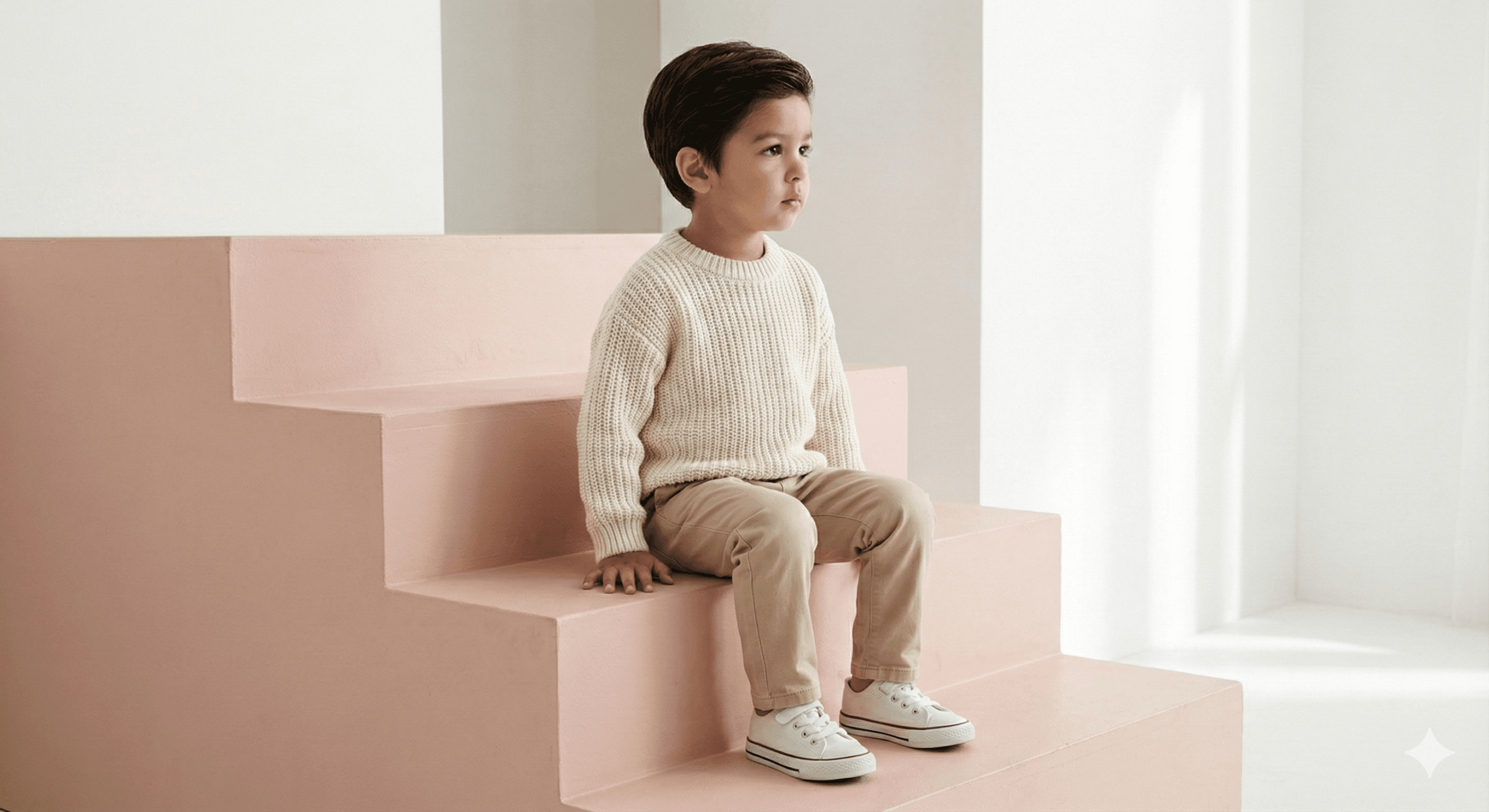
13. Pastel Steps:
> “A toddler girl sitting on pastel pink steps, wearing a modern monochrome outfit (cream sweater, beige pants, tiny white sneakers). Looking away thoughtfully, minimalist background, airy tones, stylish Instagram lifestyle vibe. Keep facial features exactly as uploaded.”
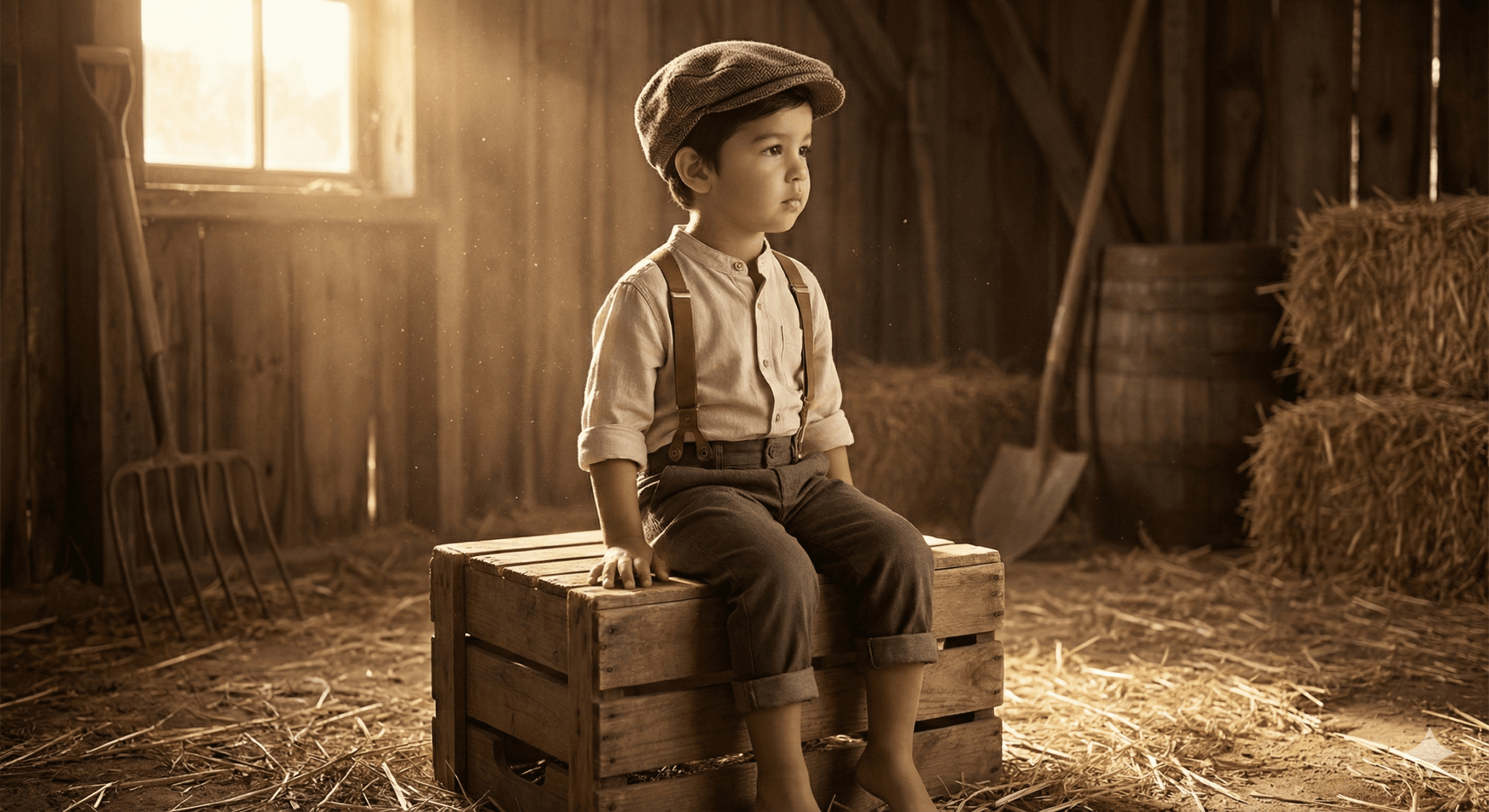
14. Vintage Barn:
“A [AGE] boy sitting on a wooden crate in a rustic barn setting, wearing brown suspenders, rolled-up trousers, and a newsboy cap. Soft straw on the ground, warm golden light from a side window, vintage storytelling portrait. Keep facial features exactly as uploaded.”
15. Cozy Cafe Vibes:
“A [AGE] girl sitting on a cafe chair outdoors, wearing a stylish beret and oversized cardigan. Sipping from a cup of hot chocolate, soft focus background with bokeh cafe lights, warm cozy tones. Keep facial features exactly as uploaded.”

The Tuning Guide: How to Get Better Results:
Even with Nano Banana, you might get a weird result on the first try. That’s normal.
Here is how I fix the most common issues:
1. The Age Rule:
I noticed that if you don’t specify the age, the AI guesses. And it usually guesses wrong.
If your child is 4, type “4-year-old.” If the AI makes them look too old, try typing “3-year-old.” It tricks the model into softening the features.
2. The Hand Hack:
We all know AI struggles with fingers.
My advice? Pick prompts where the hands are busy. Notice how prompt #3 has the girl holding a basket, and prompt #8 has hands in pockets? That’s intentional. It hides the imperfections.
3. Match the Lighting:
If your original photo was taken in a dark room at night, don’t use the “Sunny Beach” prompt. The lighting won’t match, and it will look fake.
Use the “Neon Night” or “Studio” prompts for indoor photos. Use the “Golden Hour” prompts for outdoor photos.
Conclusion:
You don’t need to be a prompt engineer to get great photos of your kids. You just need the right tool and a bit of patience.
The Nano Banana model has completely changed how I edit my family photos. It saves me time, and honestly, the results are often better than what I could shoot myself.
Give prompt #1 or #11 a try today.
Did these work for you? Let me know which prompt was your favorite.
Warning ⚠️: This article is written by AI