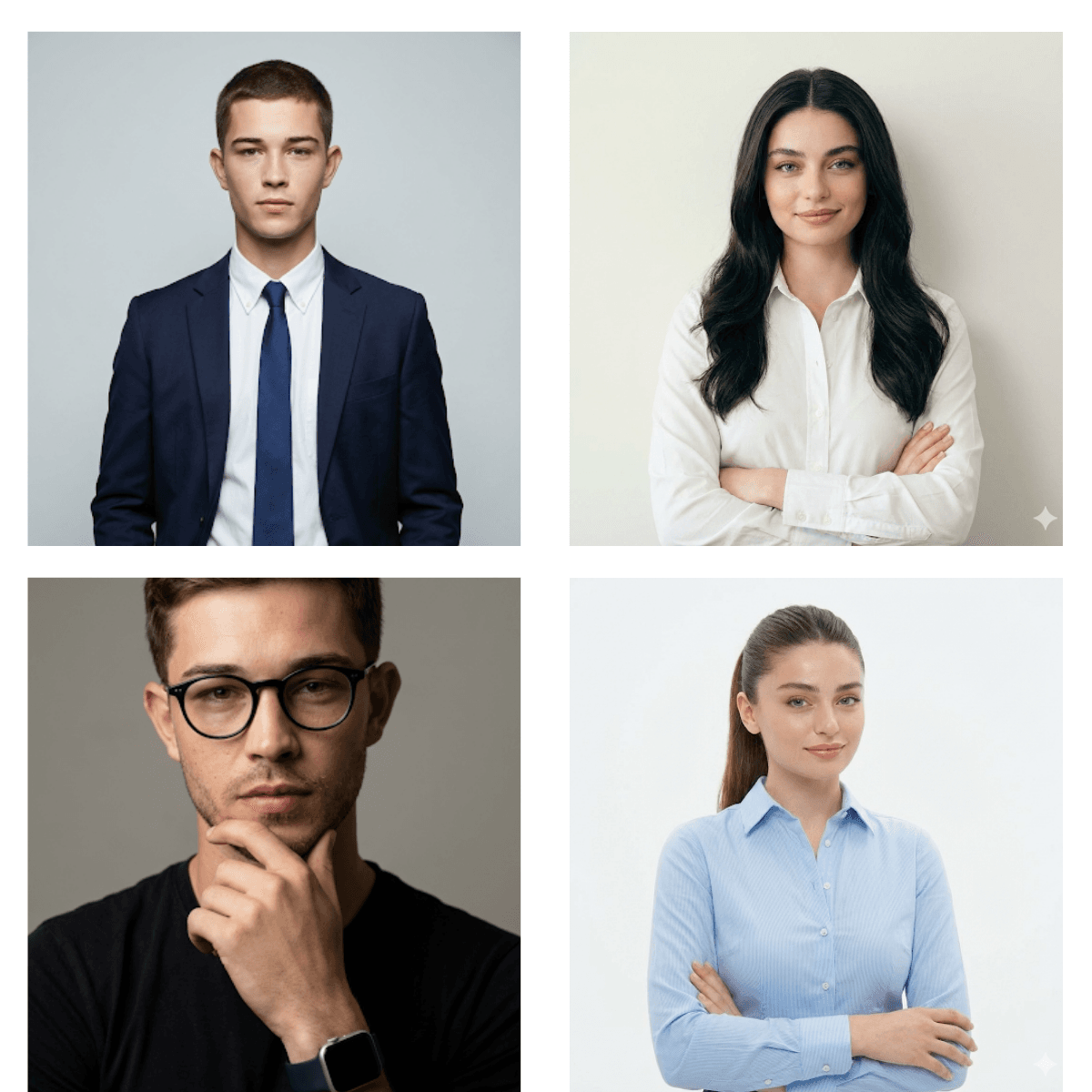
I’m going to be real with you: my first attempt at generating a Gemini AI headshot was a disaster. I wanted to save the $300 I usually spend on a photographer, so I typed “professional man in suit” into the generator. The result? A plastic-skinned, soulless avatar that looked like a mobile game character. If I had uploaded that as my LinkedIn profile picture, I would have lost credibility instantly.
The pain point isn’t the AI; it’s your lack of specificity. Most people treat a headshot generator like a magic wand, but it’s actually a camera. If you don’t tell the AI what lens to use, how to light the face, or how to handle skin texture, it defaults to that smooth, fake “AI look.” You cannot build a personal brand on LinkedIn if you look like a deepfake.
I spent the last three weeks reverse-engineering photography physics to fix this. I didn’t just want a “nice picture”; I wanted a professional headshot prompt that mimics real high-end studio photography. I tested focal lengths, lighting setups, and texture tokens to force Gemini to render pores, fabric imperfections, and realistic lighting fall-off.
Below are the 15 best prompts I’ve developed. I’ve broken them down so you understand why they work, covering everything from the Gemini prompt for LinkedIn profile picture for woman to specific lighting setups for men. These aren’t just random words; they are technical instructions for the AI to escape the “uncanny valley.”
The “Rembrandt” Studio Series (High Contrast):
1. The “Soft Focus” Authority (For Women):
The Problem: Most AI portraits for women over-smooth the skin, making you look like you used a cheap beauty filter.
The Fix: Use the following prompt which emphasizes specific lens choice and skin texture.
Prompt 1:

Why it works: The “85mm lens” is the gold standard for portrait photography because it flattens features slightly, which is flattering. “High skin texture” forces the Gemini photo editing engine to keep the pores visible, killing that plastic look.
2. The “Dark Mode” Executive (For Men):
The Problem: Standard headshots often look flat because the lighting is too even. It looks like a passport photo, not a professional headshot prompt.
The Fix: Introduce dramatic lighting and deep contrast.
Prompt 2:

Why it works: “Rim light on shoulder” separates the subject from the dark background. This is a classic AI portrait prompt trick to add depth so the suit doesn’t blend into the void.
3. The “Approachability” Standard:
The Problem: Trying to look “tough” in business photos often makes you look unapproachable or angry.
The Fix: Use “Butterfly lighting” to soften shadows under the nose and eyes.
Prompt 3:

Why it works: Butterfly lighting is the beauty standard. It creates a symmetrical shadow under the nose, which is universally flattering. This is the best Gemini prompt for LinkedIn headshots if you work in sales or HR.
The “Gradient” Corporate Series (Clean Backgrounds):
4. The Softbox Professional:
The Problem: Harsh lighting creates ugly shadows under the eyes (raccoon eyes), which makes you look tired.
The Fix: Specify “Softbox lighting” to diffuse the light source.
Prompt 4:

Why it works: This mimics a large light source, wrapping the light around the face. It’s the safest Gemini linkedin photo prompt template for a conservative corporate look.
5. The “High-Key” Modern Look:
The Problem: Dark backgrounds can sometimes feel too serious or moody for tech and startup roles.
The Fix: A “Pure white background” with “Clamshell lighting.”
Prompt 5:

Why it works: This creates that crisp, Apple-style aesthetic. It’s perfect if you want to turn selfie into LinkedIn headshot using Gemini prompt logic effectively by removing messy room backgrounds entirely.
Read this: 10+ Viral Gemini Prompts for Men (2026): Copy Paste Trending Boy Styles
2. Gemini YouTube Thumbnail Prompts: 10 “Nano Banana” Secrets
The “Environmental” Series (Office Context):
6. The Modern Office Blur (Blonde):
The Problem: A plain background gives no context. People don’t know if you work in a law firm or a basement.
The Fix: Use a wide aperture (f/2.0) to blur a modern office background.
Prompt 6:

Why it works: The “Bokeh” keyword is critical here. It tells the AI photo prompt to keep you sharp but obliterate the background distractions, establishing you as a corporate professional without the clutter.
7. The “Loop Lighting” Interior:
The Problem: Sometimes environmental shots make the lighting on the face look uneven or muddy.
The Fix: Combine an environmental background with “Loop lighting” for facial definition.
Prompt 7:

Why it works: Loop lighting creates a small shadow of the nose on the cheek. It adds dimension to the face so you don’t look like a 2D sticker pasted onto an office background.
8. The Glass Wall Executive:
The Problem: AI struggles with “office background” and often puts random nonsensical furniture in the frame.
The Fix: Specify “Glass walls” and “Contemporary office.”
Prompt 8:

Why it works: Glass walls imply a modern, high-tech environment. This is a great Gemini AI prompt for job seeker profile picture if you are targeting tech or consulting firms.
The “Casual Professional” Series:
9. The Architectural Context:
The Problem: Studio shots can feel too stiff for creative directors or architects.
The Fix: Use “muted tones” and “architectural background.”
Prompt 9:

Why it works: “Muted tones” prevents the AI from using oversaturated colors, giving the image a sophisticated, editorial feel.
10. The Minimalist:
The Problem: Over-styling the prompt can lead to AI hallucinations (weird artifacts).
The Fix: Strip it back. “Broad lighting” and “plain background.”
Prompt 10:

Why it works: Simple is harder to mess up. If you are looking for free Gemini prompts to generate LinkedIn avatar results that are consistent, this is your workhorse.
11. The “Startup” Casual:
The Problem: A blazer is too formal, but a t-shirt is too sloppy.
The Fix: A “fitted button-down” with “flat lighting.”
Prompt 11:

Why it works: Flat lighting minimizes wrinkles and texture slightly without making it look fake. It creates a clean, friendly, accessible vibe.
The “Detailed Portrait” Series (Men):
12. The Tech Founder (T-Shirt & Watch):
The Problem: AI makes t-shirts look like pajamas if not prompted correctly.
The Fix: Add accessories like “Smartwatch” and “Eyeglasses” to signal intellect and status.
Prompt 12:

Why it works: The “hand near chin” pose is risky in AI (hands often glitch), but when it works, it signals thought leadership. This is a quintessential Gemini profile picture prompt for developers.
13. The “Direct Gaze” Leader:
The Problem: If the eyes aren’t sharp, the photo fails.
The Fix: Explicitly command “Direct gaze” and “butterfly lighting.”
Prompt 13:

Why it works: This is the most traditional, safe option. It screams reliability. It’s far superior to a generic Prompt for LinkedIn profile picture ChatGPT might suggest, because it specifies the f-stop (f/2.8) to ensure the ears aren’t blurry.
14. The “Short Lighting” Slimming Effect:
The Problem: Sometimes the camera angle makes the face look wider than it is.
The Fix: “Short lighting.”
Prompt 14:

Why it works: Short lighting illuminates the side of the face turned away from the camera, putting the side facing the camera in shadow. This visually slims the face and looks incredibly masculine and defined.
15. The “Smart Casual” Blazer:
The Problem: The “floating head” syndrome where the body looks disconnected.
The Fix: Specify “Chest-up” framing.
Prompt 15:

Why it works: “Edge light” adds a subtle glow to the hair and shoulders, separating the subject from the background. It’s the difference between a professional selfie transform and a generated image that looks like a studio shot.
Final Thoughts: Don’t Just Copy-Paste:
Using these Gemini prompts for professional photo generation is 90% of the battle, but don’t be lazy with the last 10%.
Mastering how to create professional LinkedIn photo with Gemini successfully usually requires generating the image 3 or 4 times. AI is probabilistic; it rolls the dice every time. If the eyes look weird in the first result, don’t change the prompt immediately just hit generate again. Once you have a result you like, I highly recommend running it through a subtle upscaler to crisp up the eyelashes and fabric textures.
These prompts give you the lighting and camera data to beat the algorithm. Now it’s on you to use them.