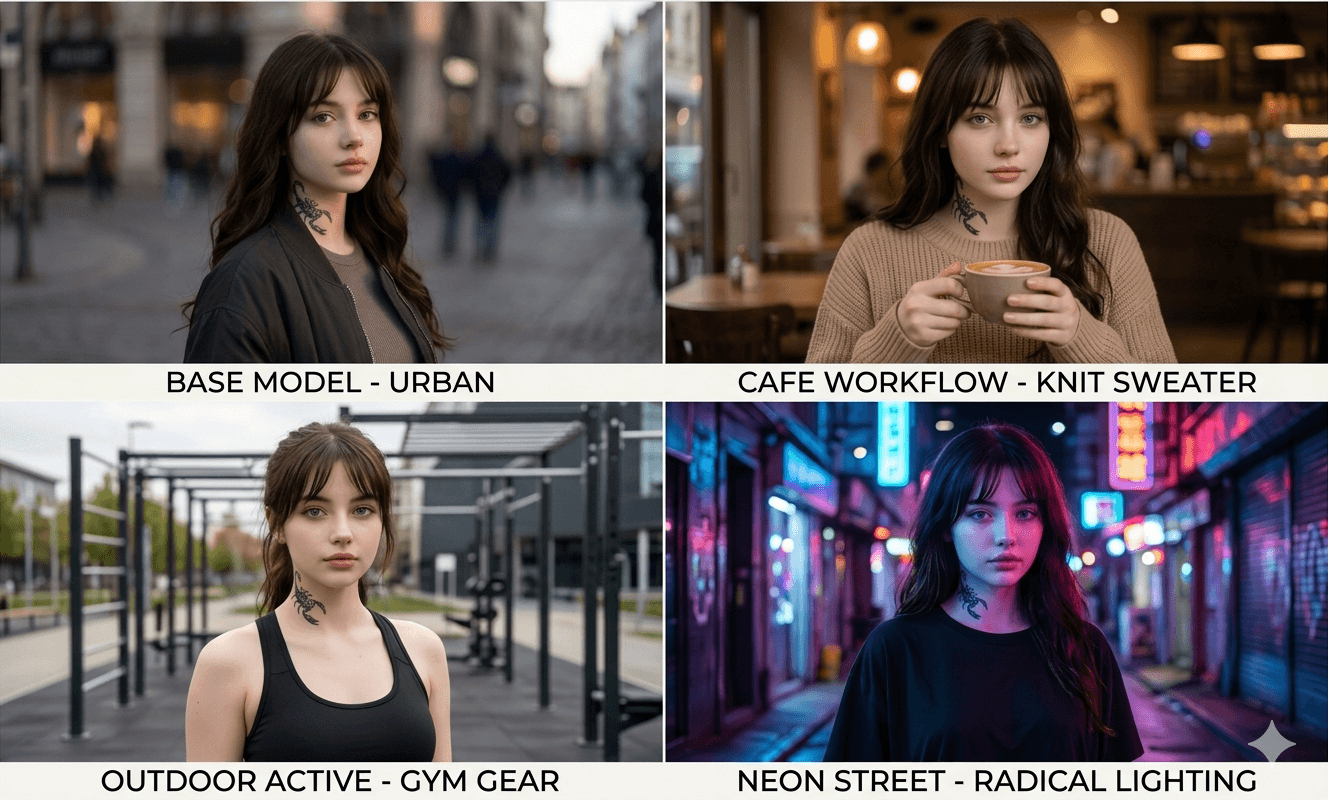
If you have spent any real time generating images with Google’s Gemini, you know the harsh reality: maintaining character consistency is a nightmare.
You finally get the perfect generation. You ask the AI to change her jacket, and suddenly, your influencer looks like her distant cousin. Most outdated guides will tell you to “just write a really detailed prompt” or rely on the chat memory. That is terrible advice that leads to deformed features, migrating tattoos, and endless frustration.
After over a year of engineering prompts professionally and burning through thousands of iterations, I built a bulletproof workflow to mathematically lock down facial features. Look at the image above. That is Natalie. Keeping her bone structure consistent is hard enough, but keeping that intricate scorpion neck tattoo in the exact same spot across different lighting scenarios requires a precise, technical framework.
Here is the exact, un-gated workflow and prompt structure I use to maintain strict consistency for AI influencers using Gemini’s latest engine.
The Engine: Why Old Methods Fail:
Before copying the prompts, you need to understand the technology. If you don’t know the mechanics, you can’t troubleshoot.
Gemini’s current image generation is powered by the Nano Banana 2 model (Gemini 3 Flash Image). The biggest mistake people make is treating it like an older AI that only understands text. Nano Banana 2 thrives on multi-image-to-image composition.
You no longer have to rely on a single reference image and pray the AI guesses the side profile correctly. You can feed it multiple angles of the same face to create a 3D-like structural lock.
Phase 1: Creating the Master Seed Prompt:
To force consistency, you must restrict the AI’s freedom. The Master Seed Prompt is a rigid anchor. It defines the character so specifically that the system has no room to hallucinate.
Here is the exact anatomy of the base prompt I used to create Natalie. Copy it, but swap the bracketed variables for your own character:
The Master Seed Prompt:
Why this works: The “Hard Identifiers” (the mole and the specific scorpion tattoo) are crucial. They force the AI to map specific pixels to specific areas of the generated geometry, anchoring the identity far better than just saying “pretty girl.”
Phase 2: Building the “Character Sheet”:
Do not skip this step. You cannot maintain consistency with just one front-facing image.
- Run the Master Seed Prompt until you get the absolute perfect base image (like the one at the top of this article). Save it.
- In the same chat, ask Gemini to generate the exact same prompt, but change the [Action] to: “She is looking 45 degrees away from the camera, revealing her side profile.” Save it.
- Ask for a full side profile. Save it.
You now have a 3-image Character Sheet. This is your foundation.
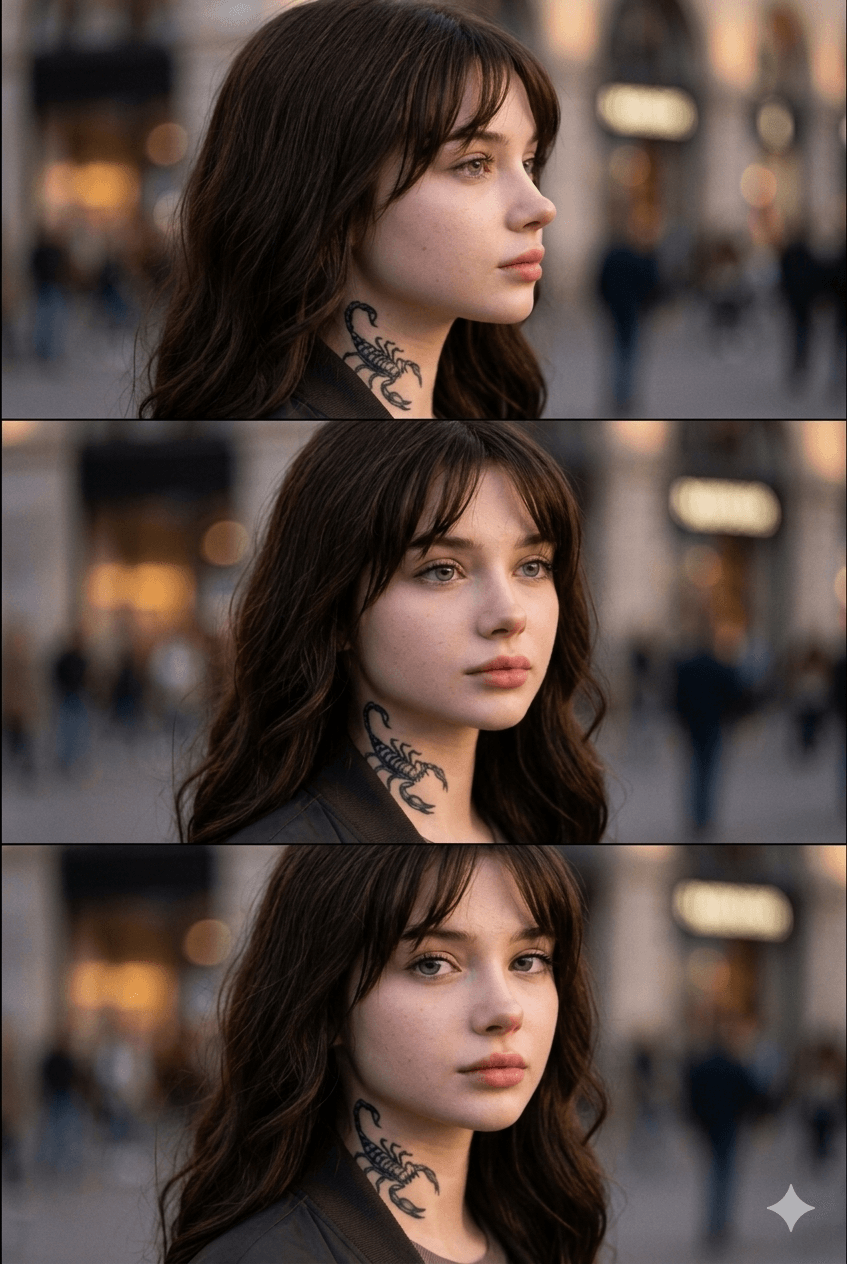 |
| The Multi-Angle Character Sheet. This is the three-step reference block used to lock Natalie’s identity mathematically. |
Phase 3: The Multi-Reference Lock-In Workflow:
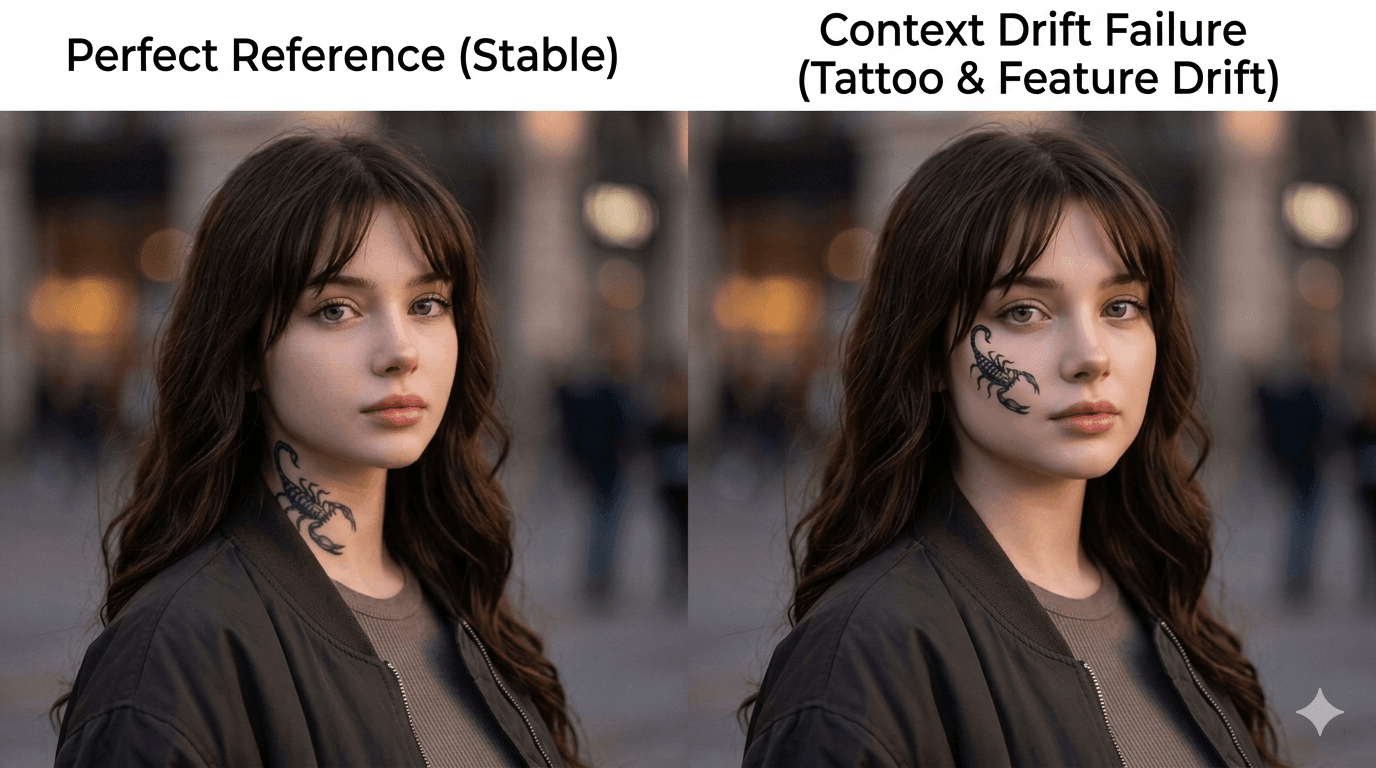
Here is where the magic happens. When you are ready to put your influencer in a new environment, do not continue in a long chat thread. Long chat threads lead to “context drift,” where the AI starts blending generations together.
- Start a completely fresh Gemini chat. 2. Upload your 2 to 3 Character Sheet images.
- Use this exact command structure to force the multi-reference lock:
“Enable strict facial consistency mode. Using the attached images as the absolute structural reference for the subject’s face, hair, and neck tattoo, generate: [Insert your Master Seed Prompt, but change the clothing and environment].”
The “Redo with Pro” Hack:
If you are on an upgraded tier (AI Plus, Pro, or Ultra) and the generation looks a bit too plastic or airbrushed, don’t waste time rewriting the prompt. Generate the image, click the three-dot menu on the result, and select “Redo with Pro.” This kicks the generation up to the Nano Banana Pro model, which drastically improves skin texture, micro-imperfections, and realistic lighting.
Advanced Troubleshooting: When the Face Breaks:
Even with the best prompts, AI can be stubborn. Here is how to fix the most common consistency errors:
1. The Tattoo Keeps Moving:
If the scorpion tattoo migrates to her chest or disappears, your text prompt is contradicting the image reference. Ensure your prompt explicitly states “black scorpion tattoo on the right side of her neck” every single time. Do not let the AI guess.
2. The Face Looks Too “Perfect”:
Gemini tends to default to symmetrical, airbrushed perfection when it gets confused. Always end your prompts with this heavy negative string:
Negative prompt: 3D render, illustration, airbrushed, smooth skin, plastic, symmetrical perfection, anime, deformed, warped features, missing tattoo.
3. The “Incremental Change” Rule:
If you change her outfit, the background, the lighting, and her facial expression all in one prompt, the identity will break. Change one variable at a time. Put her in a new jacket first. Then use that image as a reference to change the background to a coffee shop.
The Next Step: Bringing Her to Life:
Locking in the static images is only the first phase of the workflow. The real authority and where the actual money is made comes from bringing the character to life through video generation and building a monetization engine around her.
If you have mastered this prompt structure and are ready to take this from an experiment to an actual business, I have documented the entire next phase. You can learn exactly how to create a realistic AI influencer and turn it into a profitable brand with real examples, tools, and step-by-step strategies.
The Bottom Line:
Stop treating Gemini like a text-only tool. Build a strict Master Seed prompt, create a multi-angle character sheet, and rely on fresh chats with rigid image references to force the AI to maintain your influencer’s identity.